Thank You for Downloading Kodin for macOS

The setup package will start downloading. If not, click here


Follow the guide below to install Kodin on your Mac
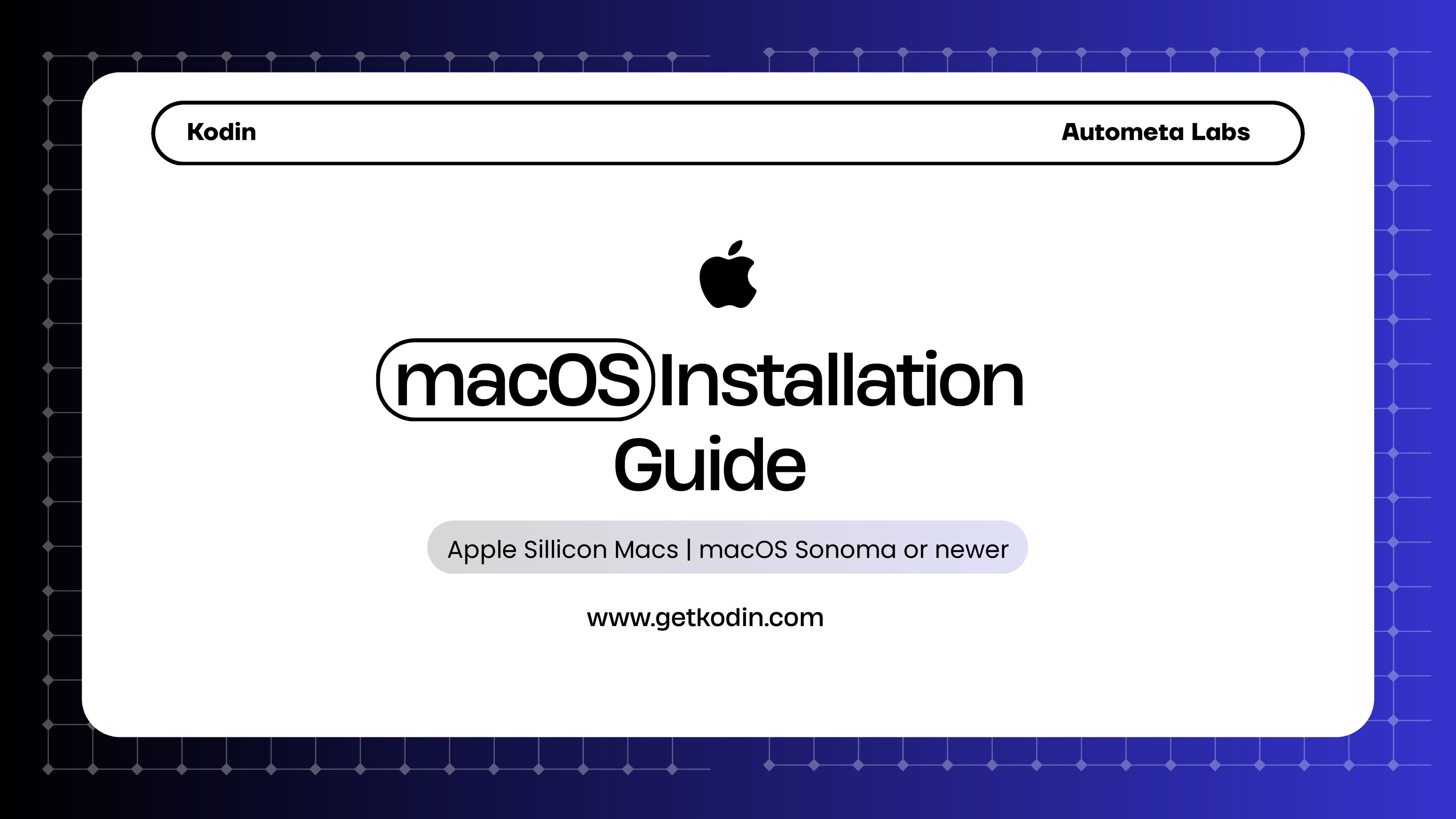
macOS Installation Guide
Download PDF
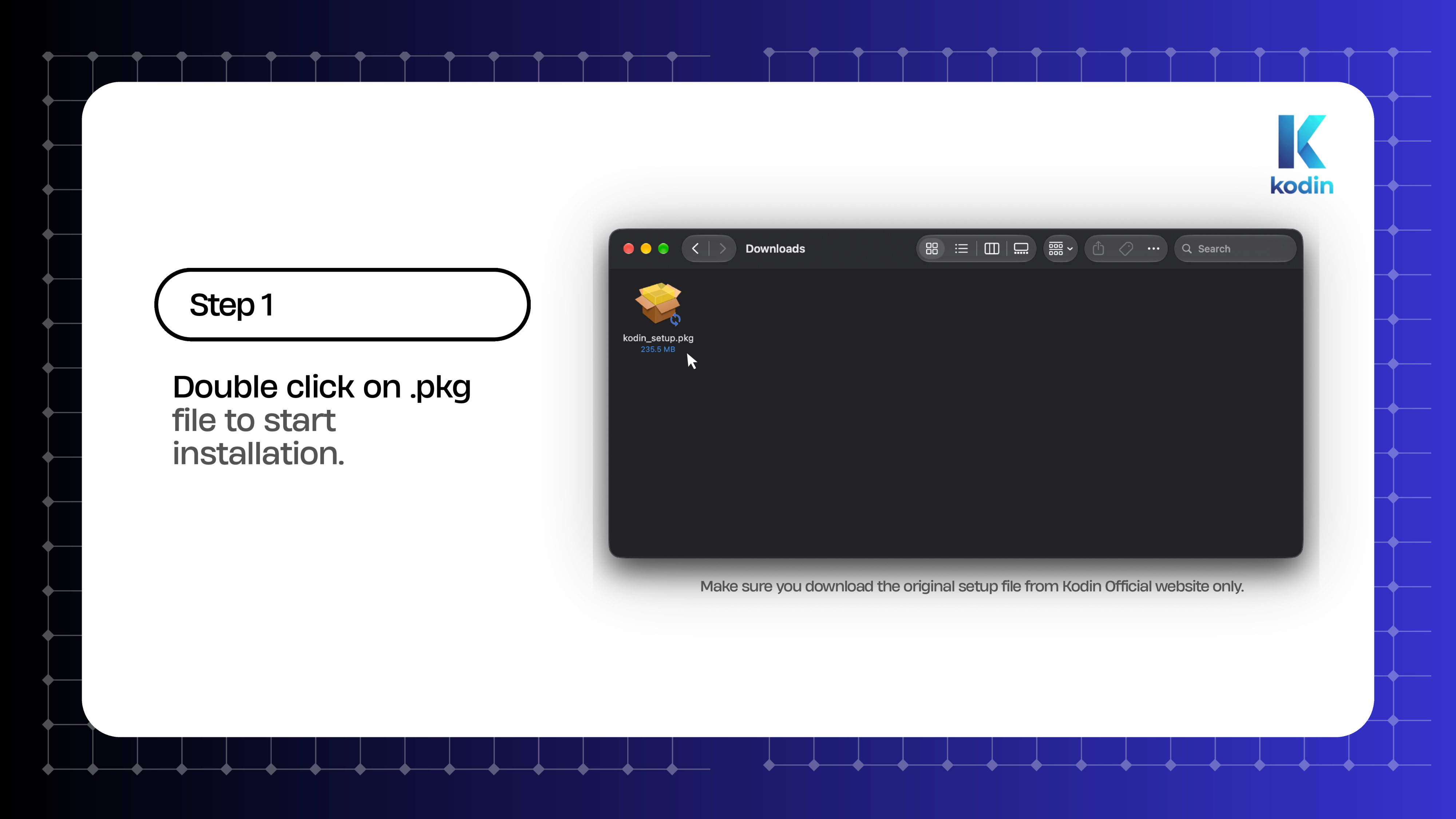
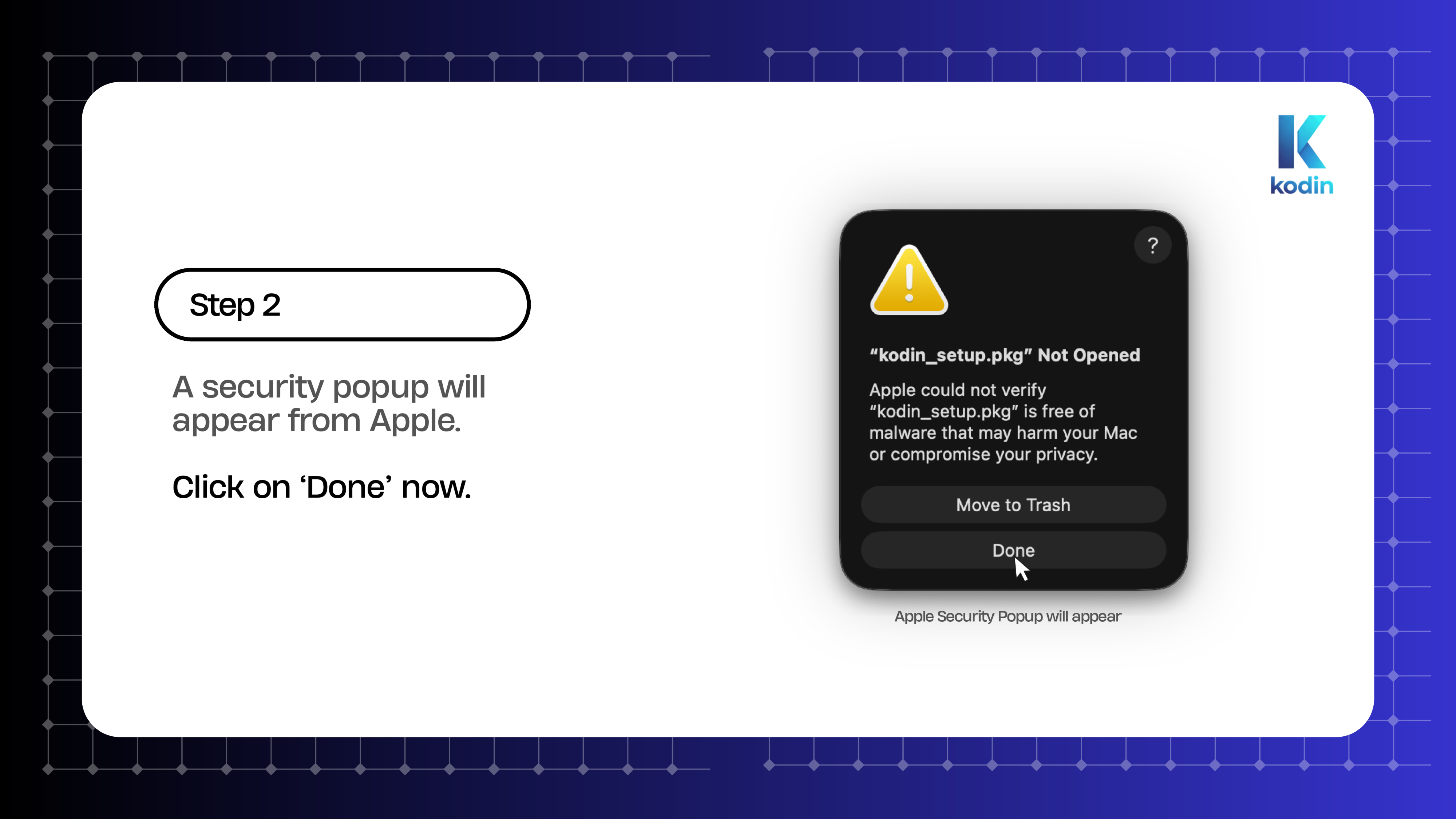
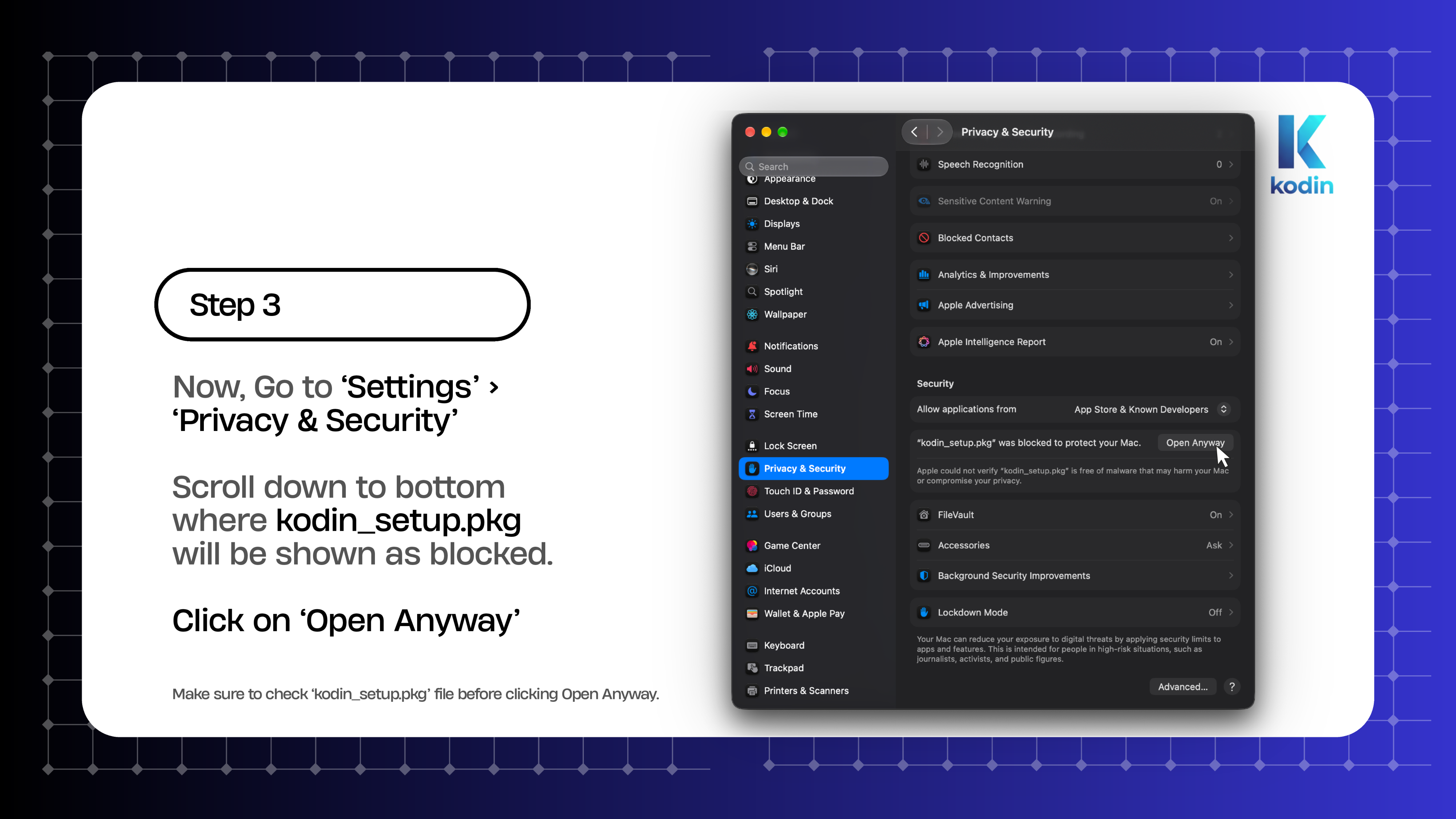
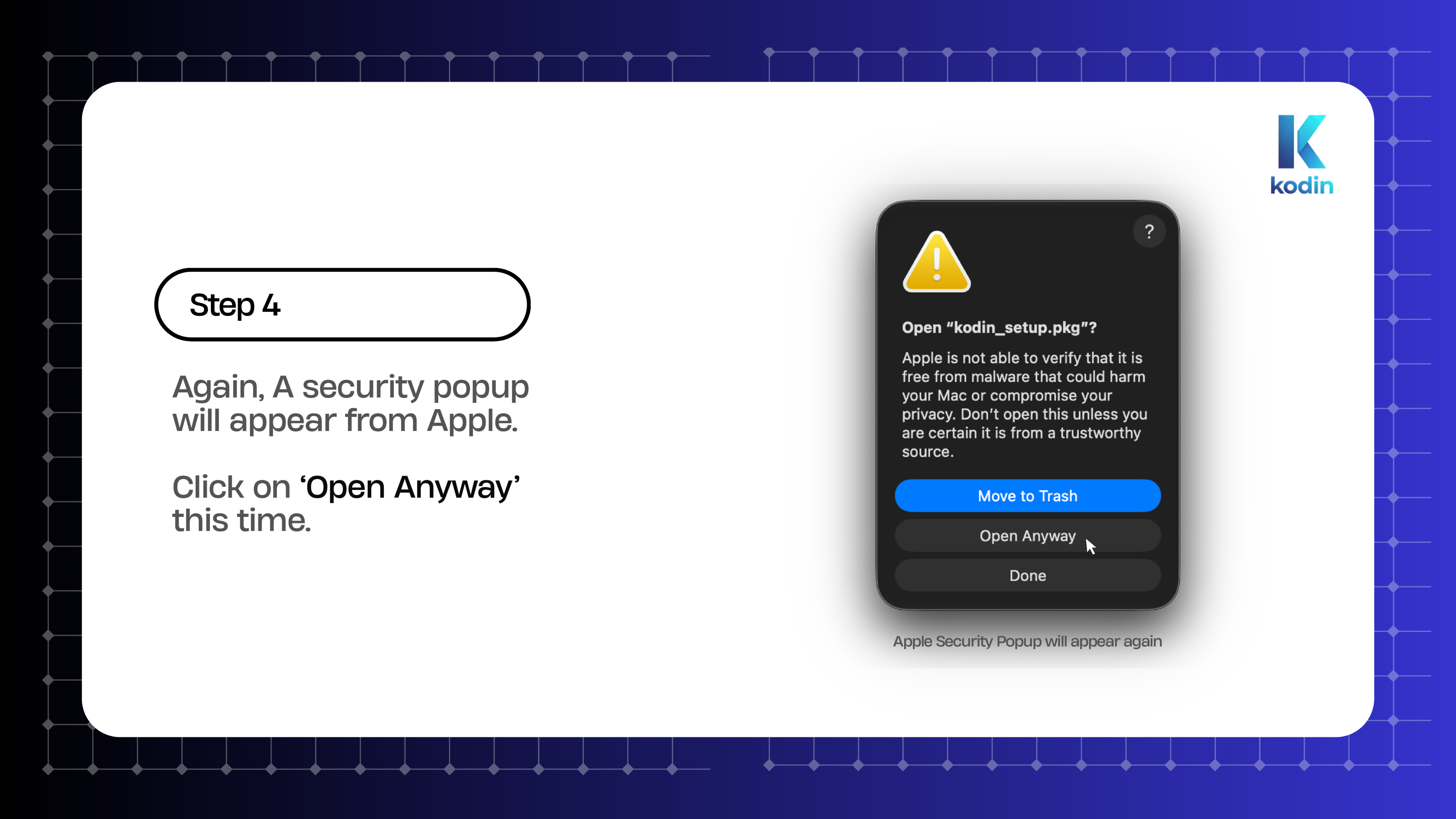
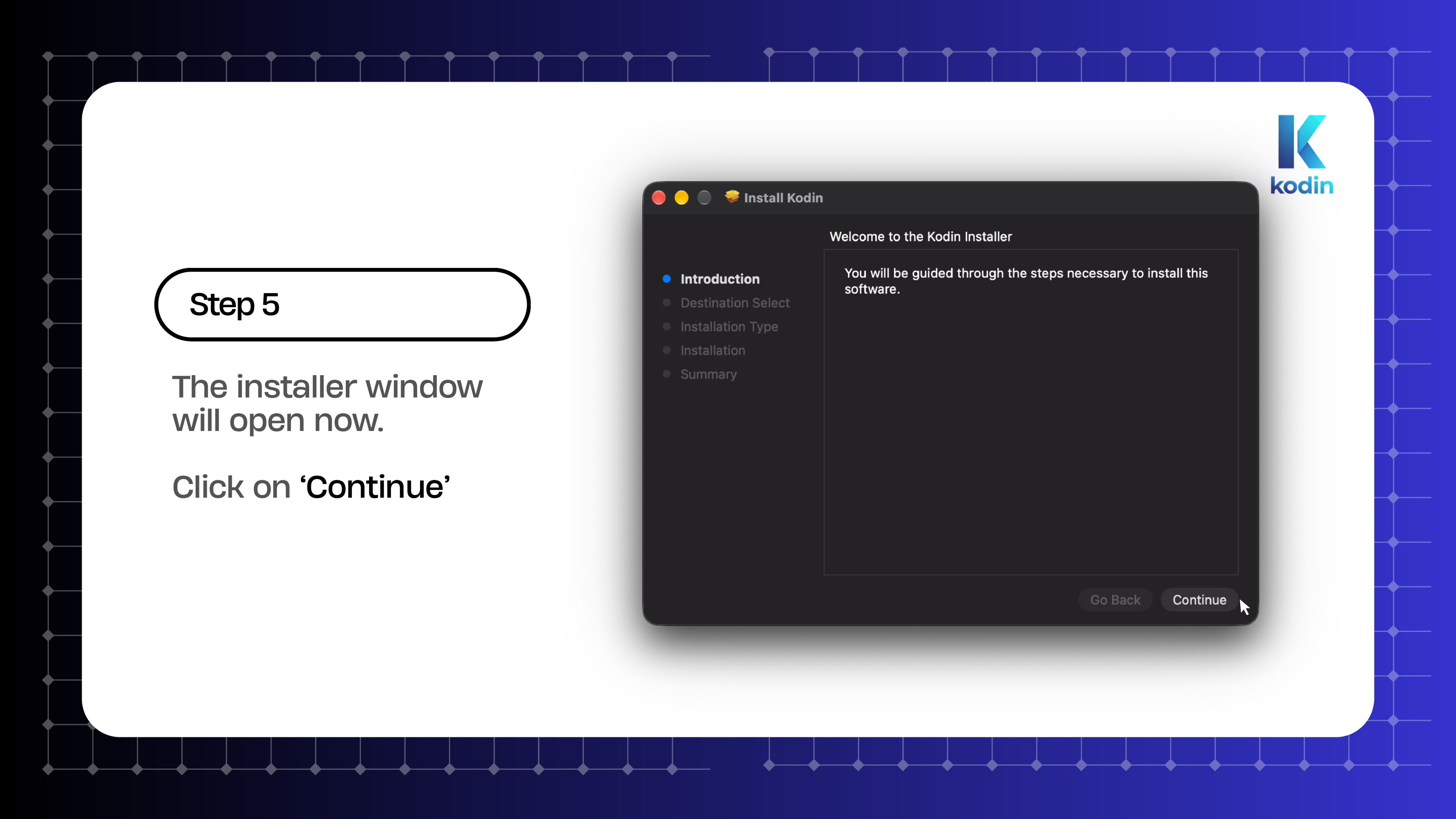
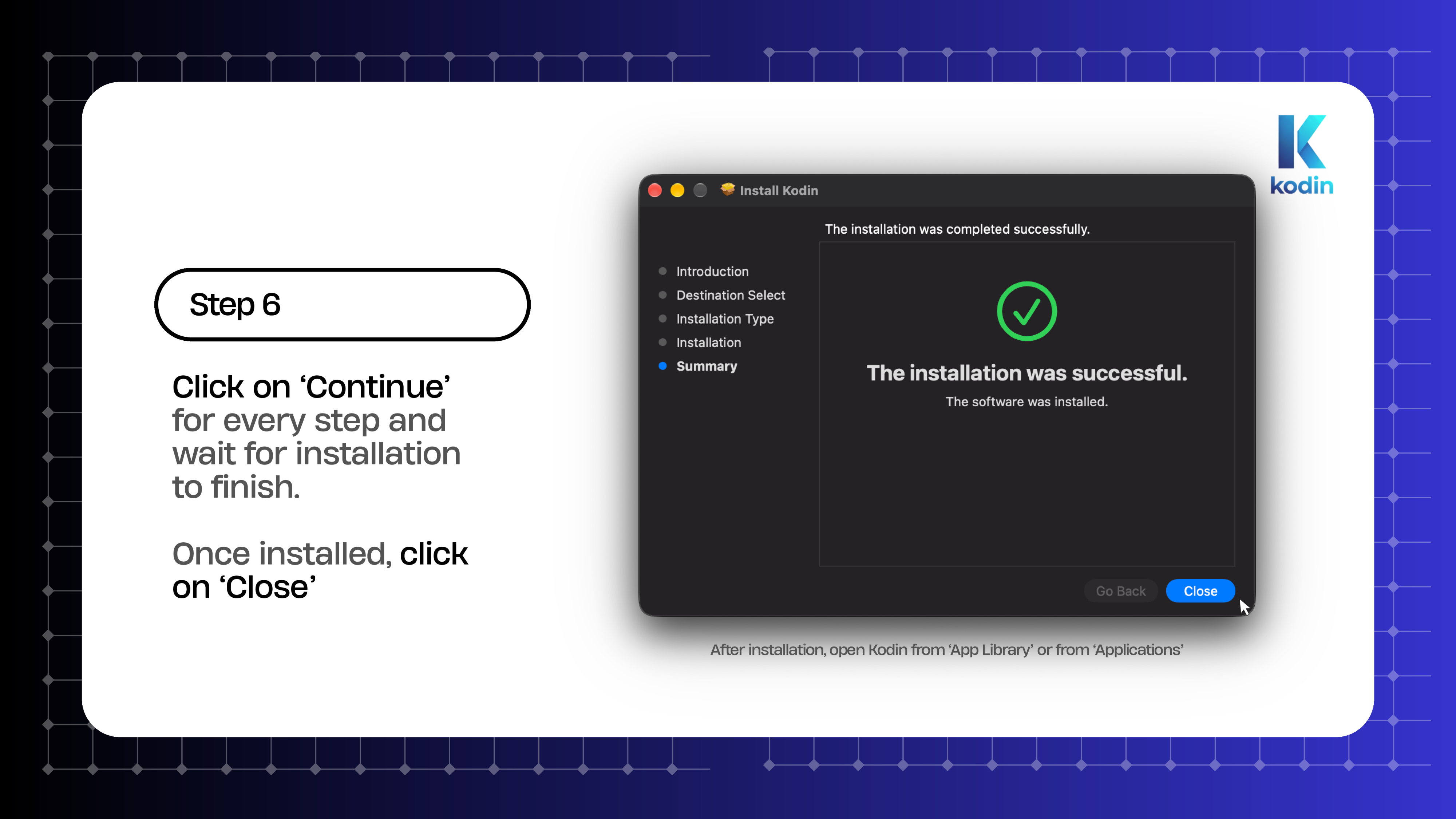
macOS Installation Guide Page 1 - Title macOS Installation Guide Page 2 - Step 1 Double click .pkg macOS Installation Guide Page 3 - Step 2 Security Popup macOS Installation Guide Page 4 - Step 3 Open Anyway in Settings macOS Installation Guide Page 5 - Step 4 Confirm Open Anyway macOS Installation Guide Page 6 - Step 5 Installer Wizard macOS Installation Guide Page 7 - Step 6 Installation Complete macOS Installation Guide Page 8 - Thank You & Support